BS5837 SOFTWARE · TREE SURVEY APP · TREE MANAGEMENT SOFTWARE

BS5837 tree survey software, feature by feature

Incursus covers the whole job. The email it arrives in, to the invoice you send.

In depth

Every part, one card at a time

Extraction: The job starts as an email.

Upload the email, the drawings, the decision notice and anything else the client sent.

Out comes the client, the site, what is proposed, every drawing reference with its revision, and your invoice details.

It reads a title block. It knows a practice’s name from a surveyor’s signature.

Where it cannot see the answer on the page, the field stays empty. You are never handed a guess.
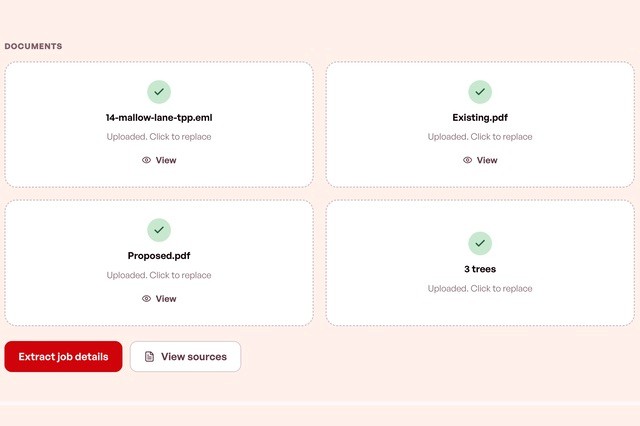
Uploaded client email, drawings and tree schedule ready for Incursus to read

Accepts

.eml and .mht emails · PDF drawings, notices and documents · .csv and .txt schedules · .dxf drawings · .docx templates

References: Every document listed the same way, every time.

A report lists what it was written from. Getting that list right is slow work.

Incursus writes each line in your own style:

JRD Ltd, Proposed Site Plan, Ref: 2304 P 100 Rev. D.

Topographical and proposed drawing references built from the uploaded PDFs
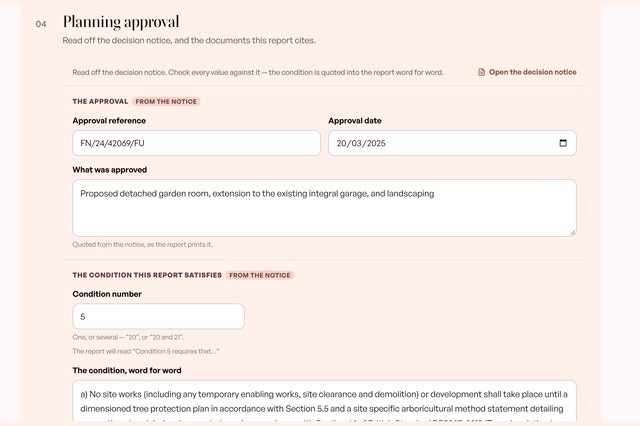
Planning conditions: Twenty-five conditions. One is yours.

One numbered condition on the notice is the reason your method statement exists. Incursus finds it.

Then it splits it into its lettered points, so your report answers each one in the council’s order, under the council’s own letters, with your standard response ready.

A planning decision notice with the tree condition found and quoted word for word
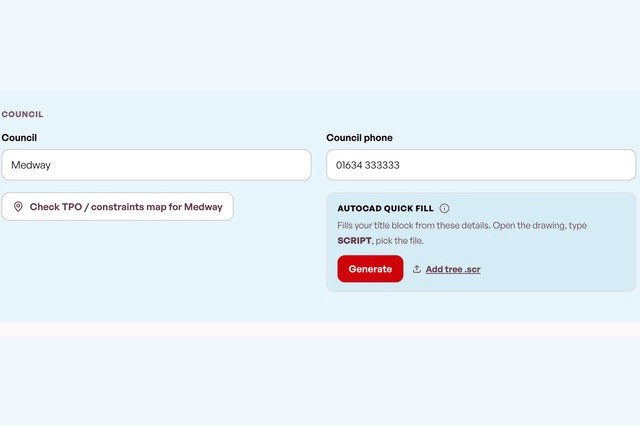
Councils: Council, phone number and TPO map, from a postcode

Type the postcode. Get the council, its number, and a link to its TPO and constraints map.

Record what you find — conservation area, TPO, part of the site, or nothing — and the paragraph writes itself.

Council name, phone number and a TPO constraints map link found from a postcode
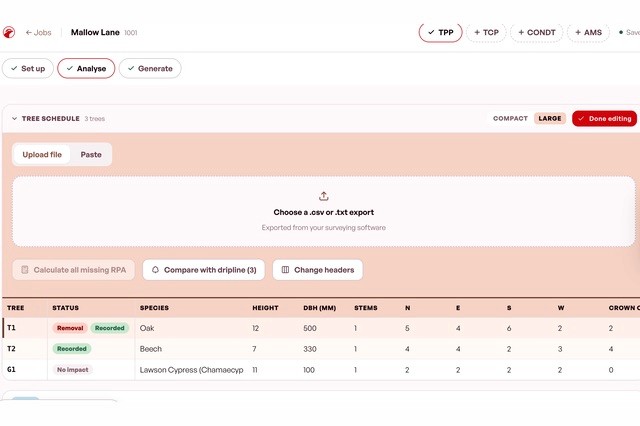
The schedule: Your survey presented

Paste the rows in or upload the file.

Calculated for you:

Root protection areas, to BS 5837:2012

Dripline RPAs from your crown spreads

Canopy area coming out with your removals

Incursion of RPA into proposed site.

A BS5837 tree schedule with root protection areas calculated for each tree
Drawings: Incursion measured off the drawing

Upload your .dxf. Incursus sorts the layers, then measures how much of each root protection area the build takes — and what share of the whole that is.

You never type in an area. You never type in a percentage.

It copes with real survey output: labels on the wrong layer, tree numbers buried in a text block, outlines drawn as thirty loose lines.

Where a shape has a real gap it stops and shows you, rather than inventing a figure for your report.

Four checks finish it: confirm the layers, check the boundary, check the labels, draw anything it missed. You can see original you uploaded beside it.

Root protection areas measured against the proposed footprint on a CAD drawing
Impacts: The per-tree work, held together

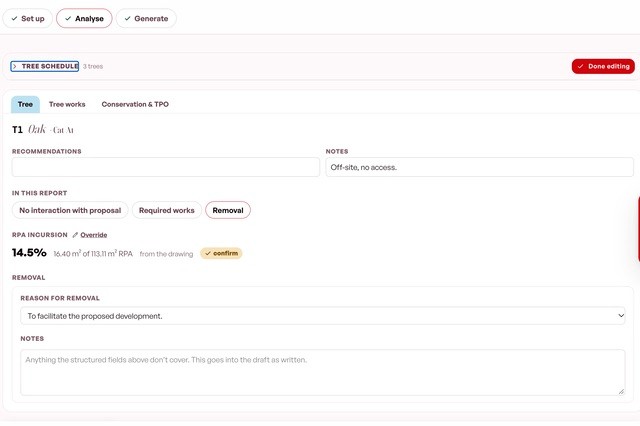
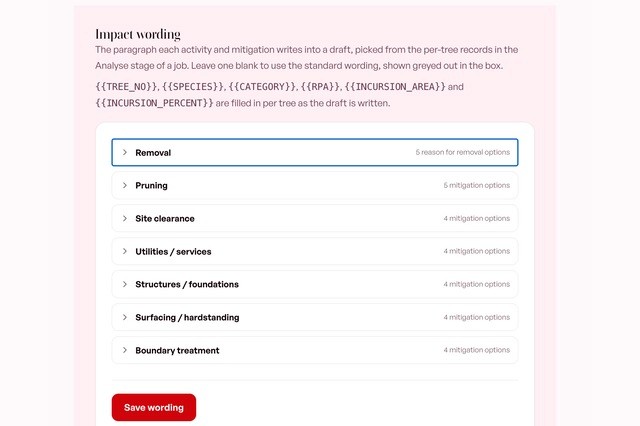
Tick what the development does to each tree. Pick the mitigation.

Do not like a sentence? Change it once in Settings. Every report after that uses yours.

Removals carry a reason from your own library

Significance recorded before and after mitigation

The impact summary table built across every tree

Per-tree impact wording with removal reasons and mitigation options
Works: Your own wording

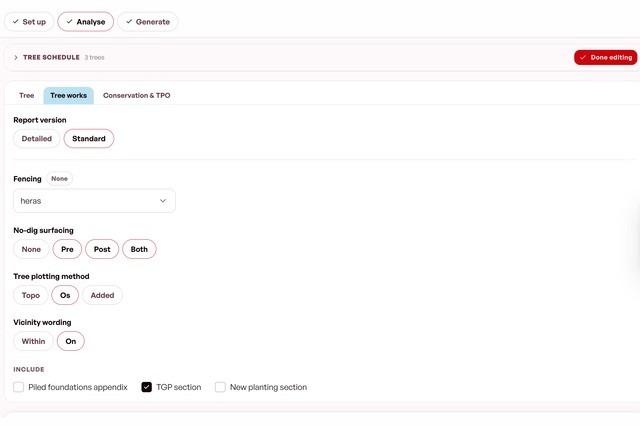
Your works sit in Incursus as patterns with gaps in them. Pick one, type the clearance, done.

Same wording on every report. Different numbers per tree.

Reword a pattern next month and last month’s report is untouched.

A schedule of works built from the practice’s own saved wording patterns
Phasing: What happens when, and who watches

Name your phases, order them, attach the activities.

Set supervision per phase. The supervision schedule builds itself.

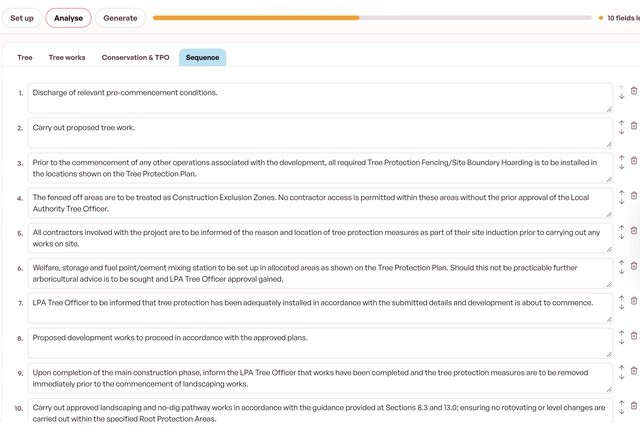
The sequence of operations arrives written. Edit the lines that differ.

The sequence of operations and construction phasing, written out
The reports: Any report your practice writes

Ready today

Tree constraints plan

What is there, before any proposals.

Tree protection plan

What will be done about the trees.

Arboricultural method statement

How the approved scheme gets built without damaging them.

Tree condition assessment

The condition of the trees, and the works they need.

A BS5837 arboricultural report open in Word on the practice’s own template

Anything else, we build.

Send one report you have already issued. It becomes a template that matches it. Beta users get up to four free.

Every report fills your own Word file. Your fonts, your headings, your layout. An empty field leaves a gap rather than stopping the job.

Also out of the same job: the schedule as .xlsx, an AutoCAD script that fills your own drawing, and an invoice.

Invoicing: The admin after the report

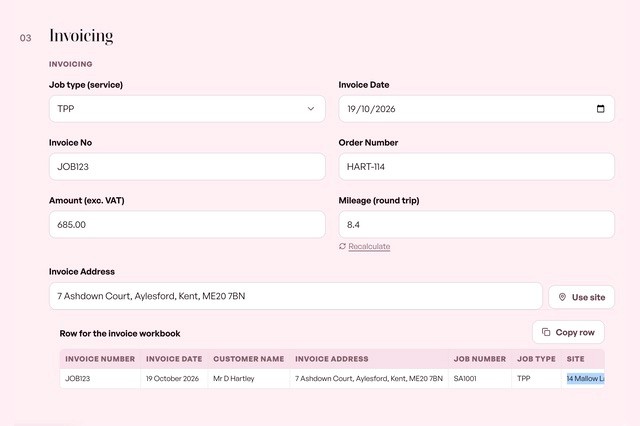
Switch invoicing on and the job creates its own invoice.

Amount, date, client, invoice number, invoicing code, ready to go.

Site mileage worked out for you.

An invoice raised from the job, with mileage and the row for the invoice workbook
Settings: Your defaults, in one place

Report defaults. Invoicing details. CAD layer mapping. Your schedule of works. Your reasons for removal. Your wording for every impact.

Switch off whatever your practice does not do. A firm that never touches CAD does not get a drawing panel.

Second report for a surveyed site? Duplicate the job and everything comes with it.

Settings holding the practice’s impact wording and removal reasons
Your data: Where it lives and who can see it

UK hosting, in London

Walled off per practice, at database level

Delete everything, one button

A data processing agreement already in our terms

Both AI steps named in our privacy policy

Never sent anywhere: your tree schedule, your CAD drawing, your account details, any report Incursus has written.

Account settings showing the delete-everything option and where data is held

The beta

Free for a year. Then £89 a month, locked for life.

Place 1

Taken

Place 2

Open

Place 3

Open

Closes 15 December 2026, or when all three places are taken.

Want those hours back? Apply for a beta place.

Free for a year. Then £89 a month, locked for life.

3 places. 2 left. Closes 15 December.

We reply the same day.

We build your templates from reports you have already sent.

We set it up with you over two weeks.

Rather email? fin@incursus.co.uk

Want those hours back? Apply for a beta place.

Free for a year. Then £89 a month, locked for life.

3 places. 2 left. Closes 15 December.

We reply the same day.

We build your templates from reports you have already sent.

We set it up with you over two weeks.

Rather email? fin@incursus.co.uk